DaisyOS
Products
Solutions
Support
Language / 语言
Get a Free Quote
NORMAL · SUPER · INSERT

Calculator — Two Modes, One Click

Switch between Normal Calculator and Super Calculator on the fly

From quick daily arithmetic to advanced function calculations — and insert results directly into your whiteboard. No app switching, no manual note-taking. Built for interactive displays and classroom efficiency.

Normal Calculator Super Calculator Function Graphing Insert to Whiteboard DaisyOS Native

Calculator in Action

See how Calculator seamlessly switches between everyday arithmetic and advanced function computation — all on your interactive display.

Calculator — Dual-Mode Calculator for Displays
Normal Mode / Super Mode · Function Graphing · Insert to Whiteboard
⏱ Product demo · 1min
▶ Watch on YouTube →

Dual-mode system — switch between Normal & Super Calculator instantly

Super Calculator supports functions, trigonometry, logarithms, and graphing

One-tap insert calculation results directly into whiteboard canvas

Clean, distraction-free UI designed for touch interaction

Powered by Dual Intelligence

From quick daily calculations to advanced math — Calculator adapts to your needs and flows naturally into your whiteboard workflow.
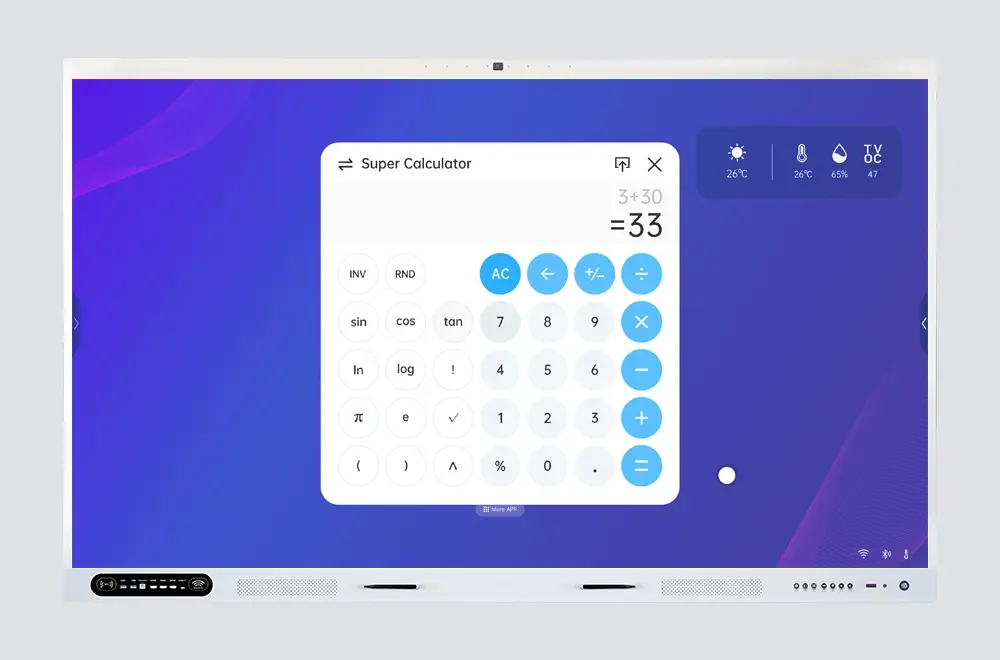
Advanced calculator functions
Super Calculator

Advanced Functions, Instant Access

Trigonometry, logarithms, exponents, and function graphing — with one tap you're in Super mode. Your input stays intact when switching back and forth.

  • Trigonometric & inverse — sin, cos, tan and more
  • Logs, exponents, roots — log, ln, power, and square root
  • Function graphing — visualize equations on screen
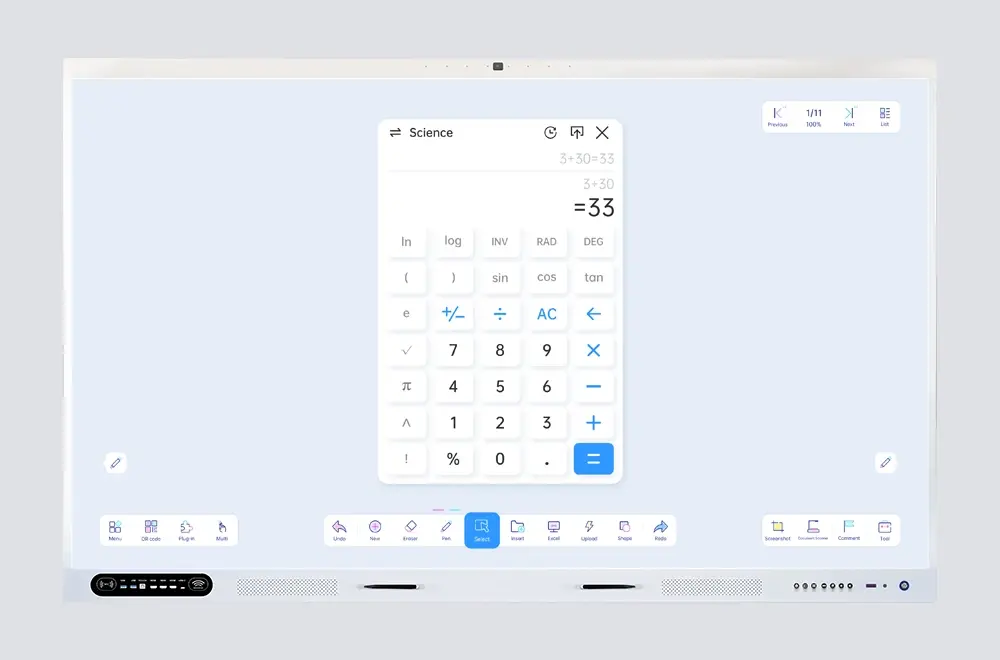
Everyday calculator
Normal Calculator

Everyday Math, No Friction

Quick arithmetic, percentages, and memory functions in a clean touch-friendly layout. Large buttons designed for fast tap input on interactive displays.

  • Basic arithmetic — add, subtract, multiply, divide
  • Percentages & memory — M+/M-/MR/MC included
  • Touch-optimized — big buttons, minimal clutter
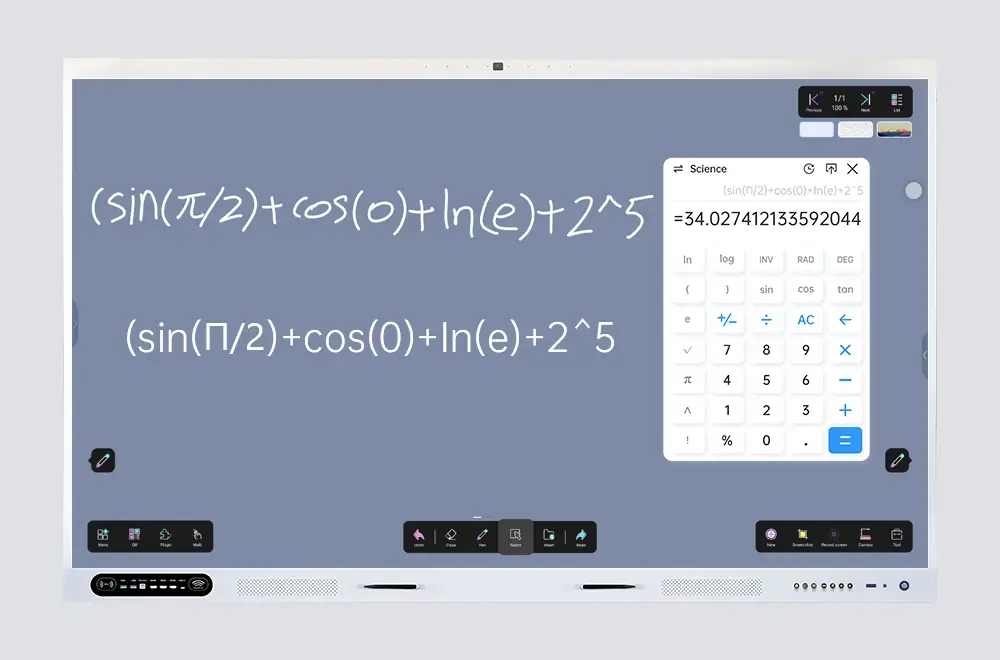
Insert calculator results into whiteboard
Insert & Share

Calculate, Insert, Review

Tap to send results straight to the whiteboard, then annotate or explain. Every calculation is saved in history — export to UFile or share via QR.

  • One-tap insert — results appear instantly on the whiteboard
  • Calculation history — review, reuse, or export past results
  • Export & share — save to UFile or share via email/QR

Built for Your Classroom

From School math lessons to university engineering lectures and corporate training sessions — Calculator fits every learning environment.

Education

Teach arithmetic and functions live — switch to Super Calculator, then insert results onto the whiteboard.

University & Research

Compute complex functions and insert results directly into lecture notes in real time.

Corporate Training

Switch between Normal and Super modes — all results sync to the whiteboard.

Frequently Asked Questions

Quick answers to common questions about Calculator.

Tap the mode toggle button on the calculator interface. Your current input is preserved when switching, so you can start calculating in the other mode without losing your work.
Super Calculator supports trigonometric functions (sin, cos, tan), logarithms (log, ln), exponents, square roots, power functions, and basic function graphing — everything you need for advanced math and engineering calculations.
After performing a calculation, tap "Insert to Whiteboard" and the result appears directly on the whiteboard canvas. You can then move, resize, and annotate the inserted result as part of your lesson or presentation.
Yes. All calculations are saved in the history log. You can review past results, reuse formulas, export calculation records to UFile cloud storage, or share them via email and QR code.
📩 Request a Quote

Need a Solution That
Fits Your Project?

Tell us what you're looking for and we'll tailor a quote to your requirements — with pricing, lead time, and expert advice.

HeadquartersRoom 201, No. 5, Chang An Zhenyuan East Road,
Dongguan, Guangdong, China
Get Your Custom Quote
Fill out the form and we'll get back to you within 12 hours.
Quick InquiryGet a quote
✓ Sent! We'll reply within 4 hours.
Chat on WhatsAppReply in minutes